This is where ingredients become recipes: conditional branching, error handling, data transformation, and business rules that turn a basic sync into a deep integration. Your AI agent composes automations here over APIANT's MCP server, or you build them visually. One codebase serves hundreds of customers.
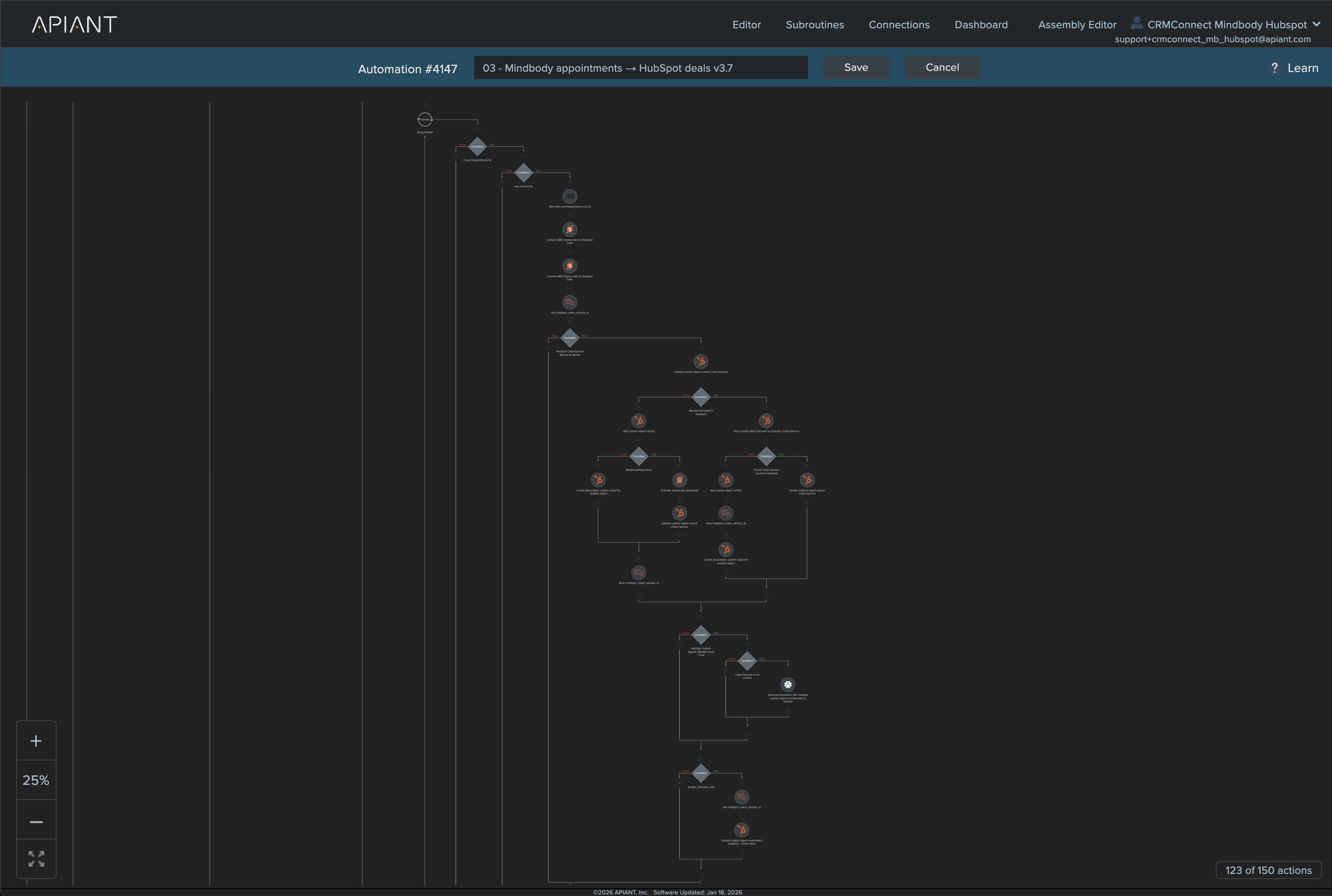
Each automation does one thing well: when a class booking comes in, process it. When a membership renews, handle it. When a client service depletes to one session remaining, trigger the replenishment campaign.
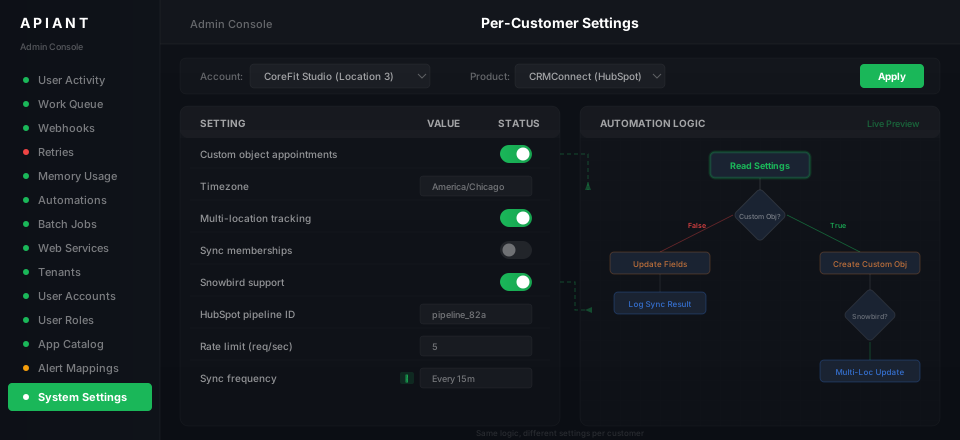
Every automation separates core logic from configuration. One codebase serves hundreds of customers with different time zones, settings, and business rules. Deploy once, upgrade everyone simultaneously.
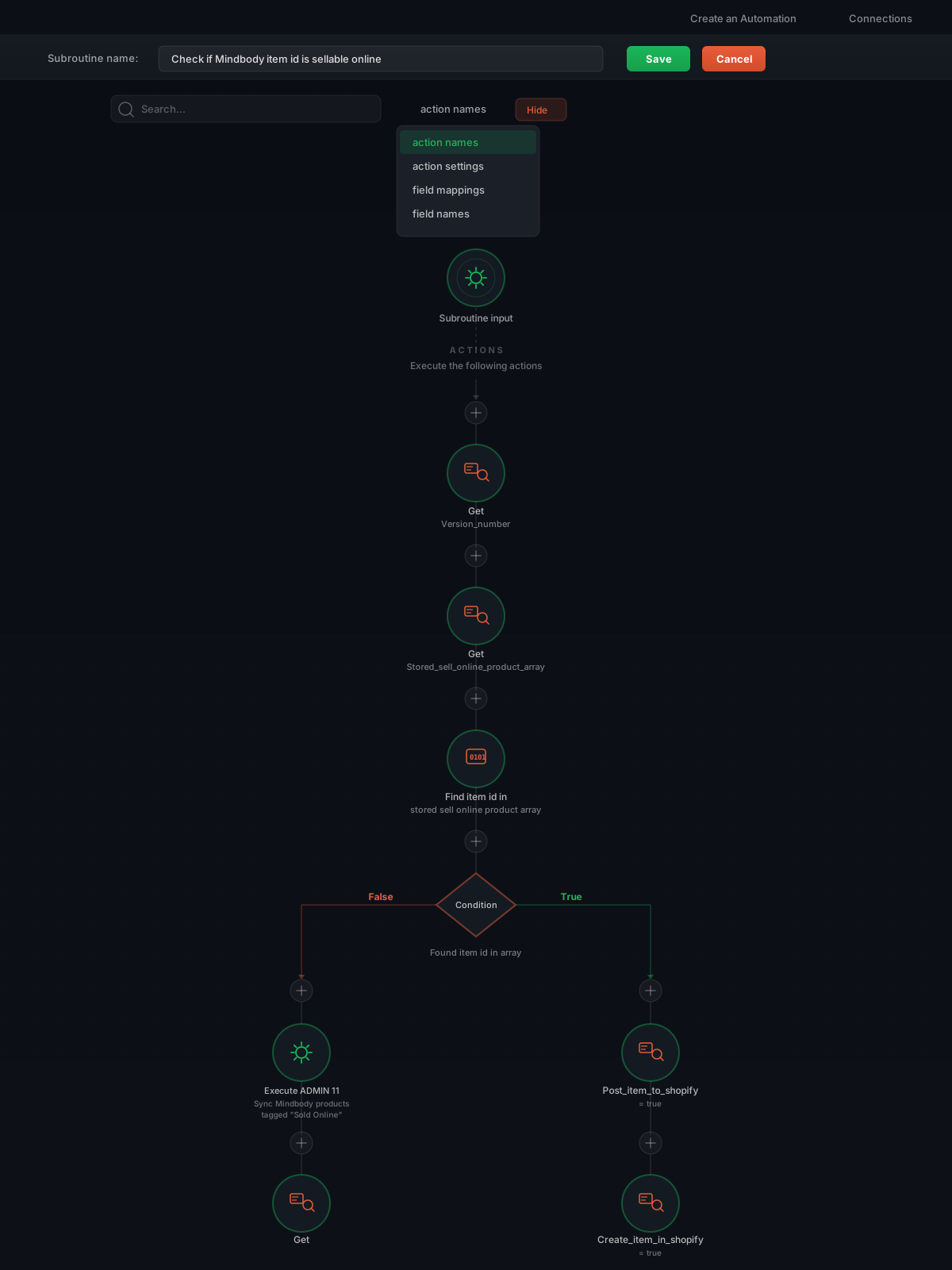
No code, but full depth. The entire MindBody-to-CRM integration with custom objects, rate limiting, and multi-location routing is built visually. Every step is visible, inspectable, and testable.
Branch based on settings: "Does this customer use custom objects? Branch left for yes, right for no." "Does this franchise track snowbird customers across locations? If yes, update the multi-location dropdown."
Rate limiting, retry logic, and error handling are built into the platform. When an API returns a 429, the platform backs off automatically. When a step fails, it retries with exponential backoff before alerting.
Search any piece of data -- a client ID, a booking number, an email address -- and instantly see every step it passed through, every transformation, every API response. No log diving. No guesswork.
Deploy to all linked accounts simultaneously. When you push an upgrade, every customer gets it at once -- no manual rollouts, no version drift, no missed locations.
The secret to productized integrations is separating what is universal from what is unique. The logic -- how data flows between APIs, how errors are handled, how objects are mapped -- that is the same for everyone. The settings -- which fields to sync, which features to enable, time zones, languages, logos -- that is different for every customer.
The automation logic is the same across all deployments. It defines how data flows, how errors are handled, and how objects are mapped between systems.
Each deployment gets its own settings layer. Customize per customer without touching the logic. Settings surface directly in FormApps for end-user configuration.
Every automation runs on APIANT's unified data engine. Format-agnostic processing. XPath everywhere. Scale without limits. Large API responses, complex nested structures, thousands of records per sync -- the engine handles it natively.
Most integration platforms choke on nested JSON, paginated responses, or high-volume syncs. APIANT's data engine normalizes every format (JSON, XML, CSV, custom) into a single model and transforms without manual parsing.
XPath expressions work everywhere, giving you precision control over data selection, filtering, and transformation at every step.
Ingredients from the Assembly Editor become recipes here. The Admin Console deploys those recipes to hundreds of customers at once.
See the Automation Editor in action.
